Author Archives: superfro - Page 3

Playing around with the HackRF SDR

2013-06-19 20.51.18

Lucky me! I was selected for the HackRF beta program and received my board from Michael Ossmann / Great Scott Gadgets.  If you don’t know what the HackRF is, its an SDR (or Software Defined Radio), read more here.

I’m running Mint 14, I already had a previous install of gnu radio I was using with a rtl-sdr. I was able to get things up and running pretty easily. First I grabbed the hackrf firmware release package, and the hackrf host tools.  Then I built the host tools and updated the firmware.  At this point I thought I would be good, but it appeared that I had to update my rtl-sdr package as the hackrf source wasn’t present.  After that I was pretty golden and was able to get a FM demod sketch running pretty quickly.
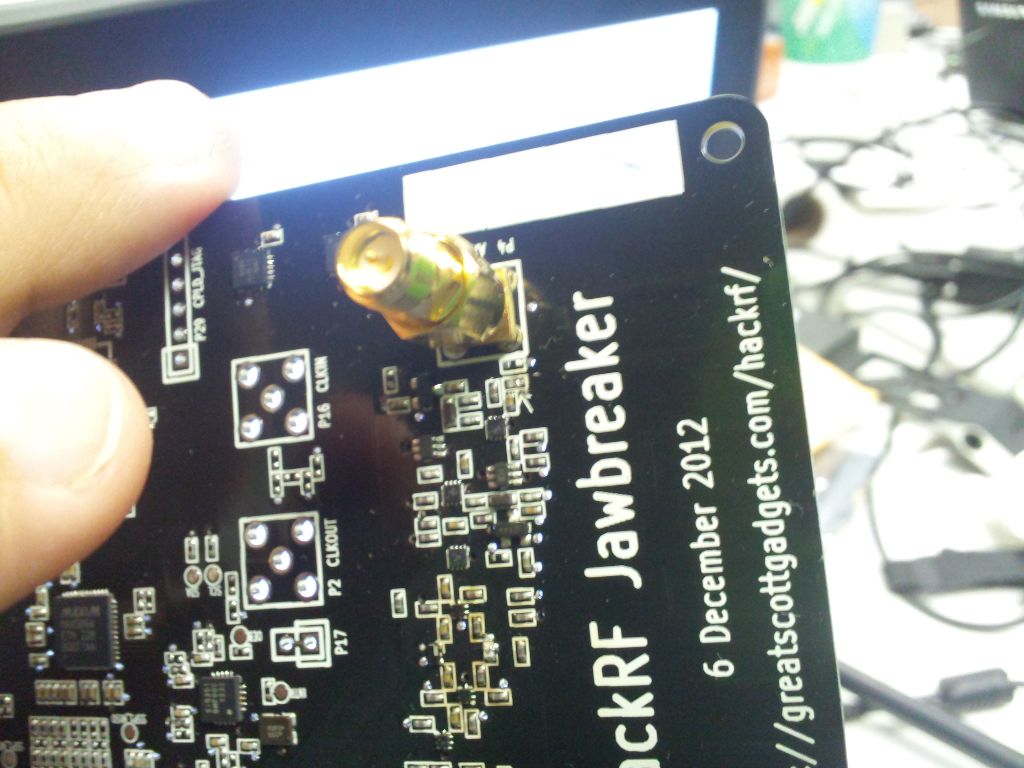
2013-06-19 23.03.16By default the Jawbreaker is tied to an internal pcb trace that acts like an antenna, it’s just that antenna is pretty horrible.  Luckily I already ordered some parts from amazon.  A 2.4ghz +10db gain antenna, and a SMA to RP-SMA adapter.  The HackRF uses SMA, where as most wifi antennas are RP-SMA.  After cutting the trace to disconnect the antenna (R44), putting the adapter and my massive antenna on it… I was getting a good feed of data.


2013-06-19 23.20.00

I used a sketch that someone had made from the HackRF mailing list, it worked pretty good.  I already made my own FM demod using the RTL-SDR so I understand how it works, except this one was more elaborate.  I’ll investigate this more as I learn gnu radio a little better.  For now I at least got things up and running.
 

What I’ve been up to redux

Again I’ve been ignoring my personal projects for the chipKIT design challenge. Our entry (with a few guys from my hackerspace) is a KeeLoq shield, and Key Fob. Design Files / Firmware / Libraries are available here on github.

If you would like to vote for us, go here. Our Entry Number is ck765.

Here’s the video entry for the shield.


What I’ve been up to…

So I’ve been neglecting my own projects lately while I’ve been working on competitions for my hackerspace.

Here’s on of the finished products, the Hammer Slammer for Red Bull Creation contest.

Ord bot update — First axis movement

2013-04-26 19.36.24

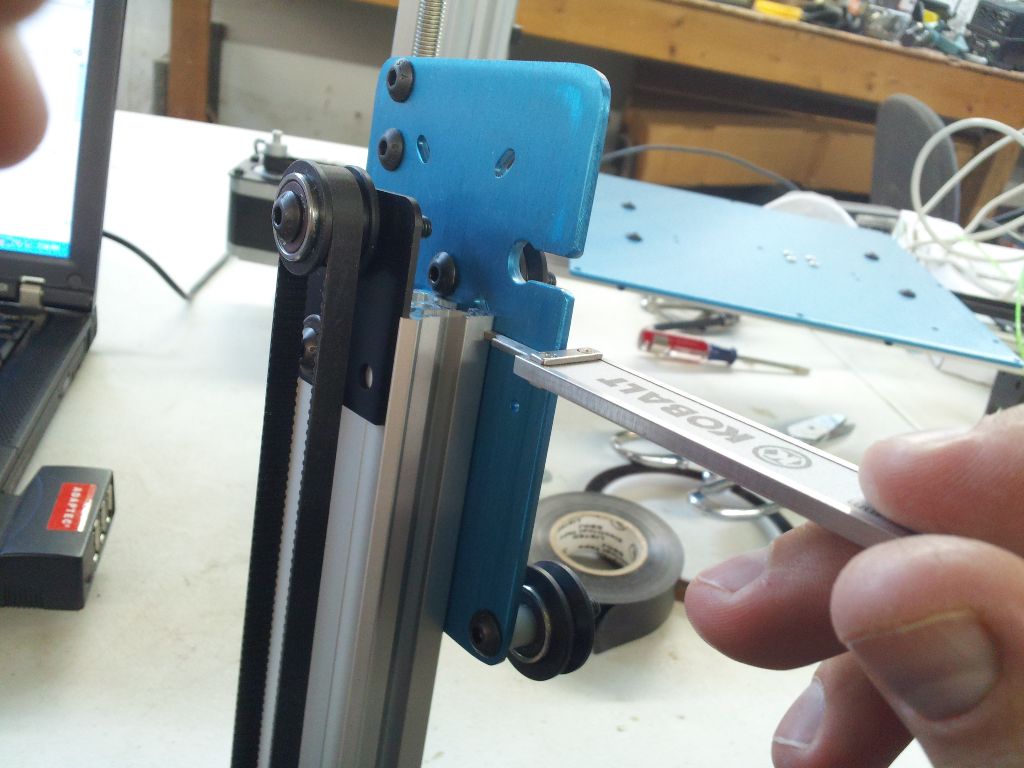
So I finally made some time late at night to work on my ord bot.  First thing I did was try to true up some of the brackets, make sure everything is straight and tight.


2013-04-26 20.50.45

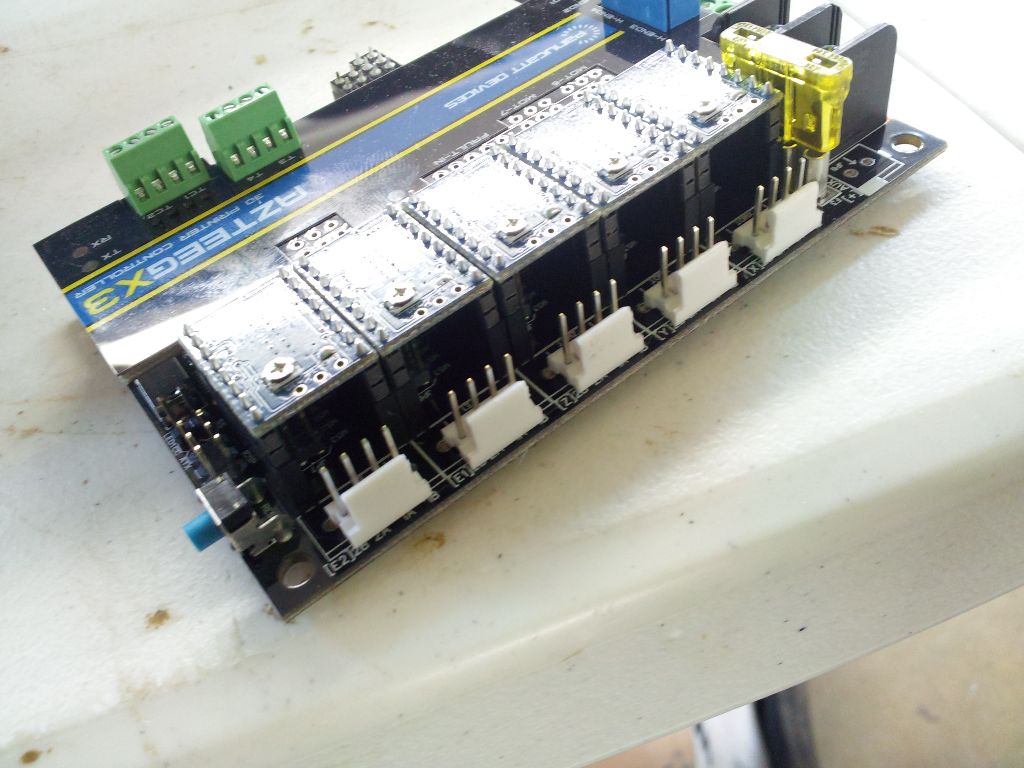
Next I went ahead and soldered the stepper headers onto the azteeg x3, I decided this look was cleaner than going with the screw terminal approach.


2013-04-26 21.00.14

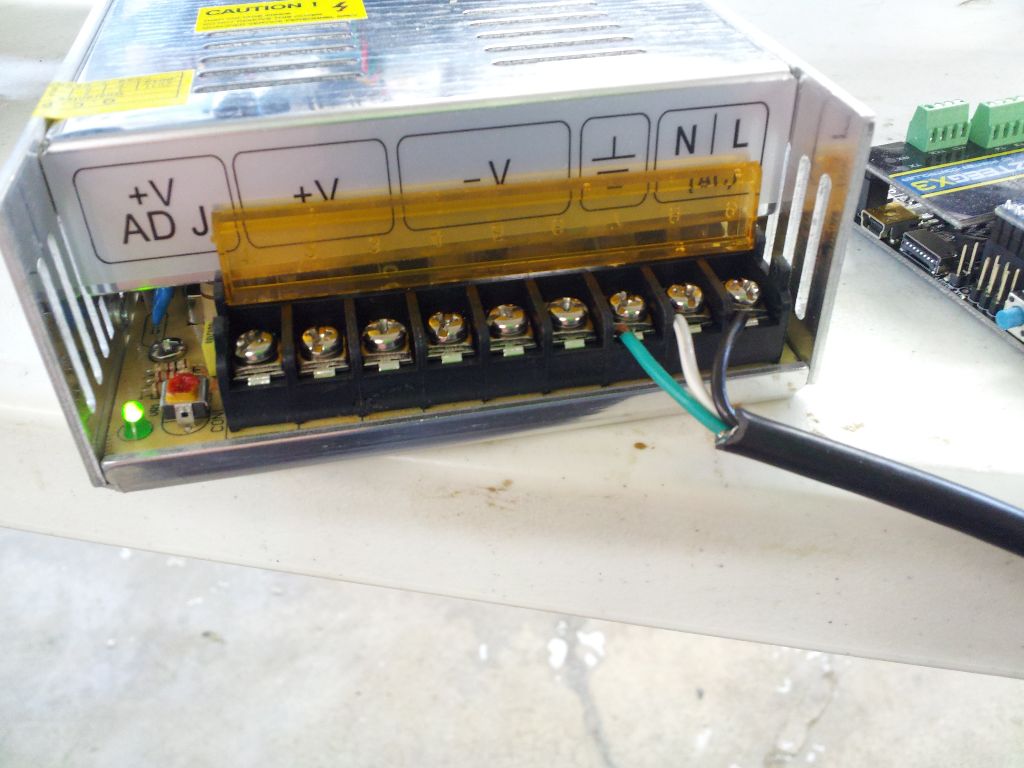
Finally it was time to wire up the power supply.  I just chopped up an old IEC cable and screwed the terminals down.


2013-04-26 22.18.29


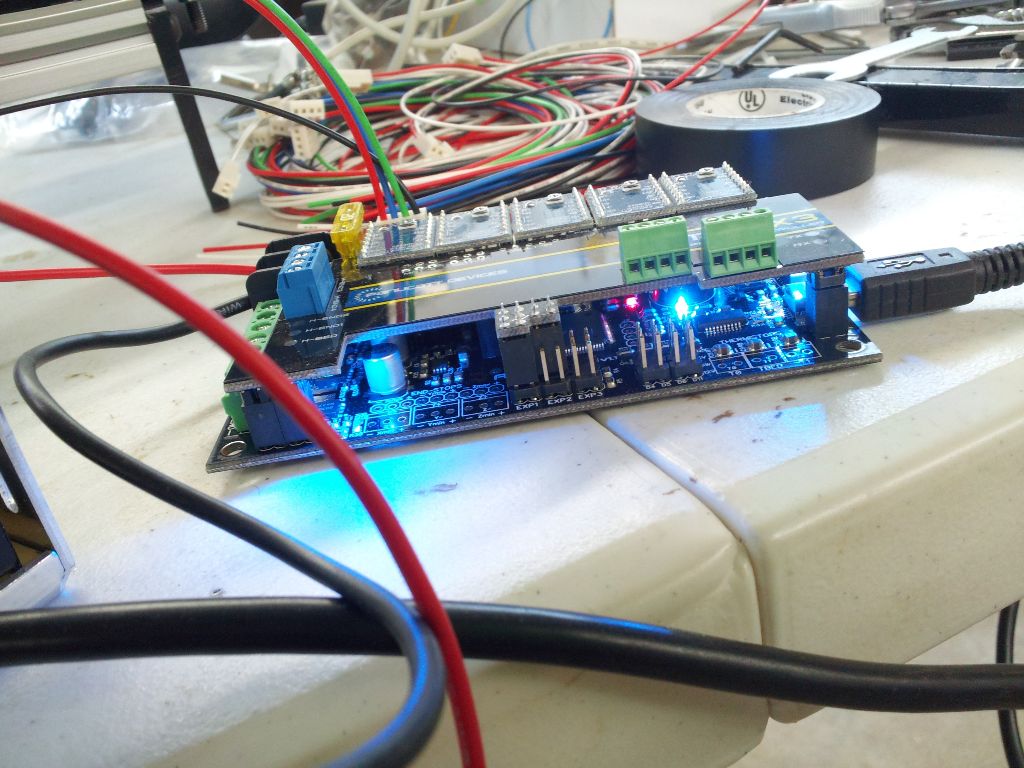
A quick power on test of the azteeg.


2013-04-26 20.50.55


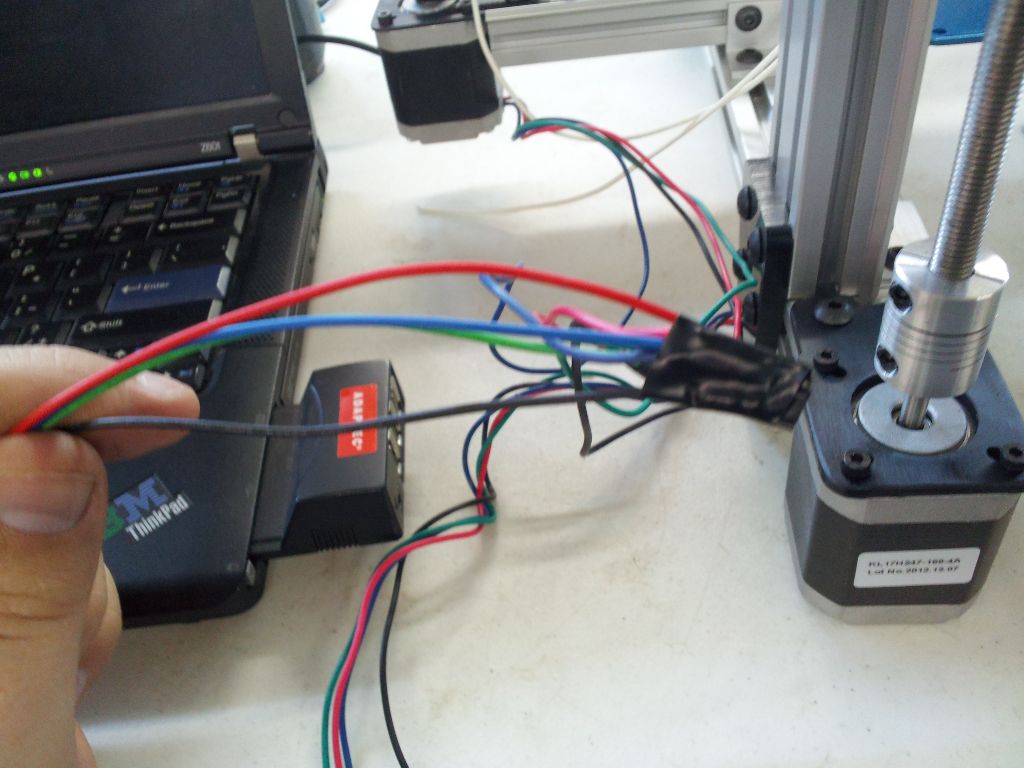
A little bit of wire twisting, some electrical tape and I loaded up Marlin firmware sketch, tweaked the values a little to match the azteeg x3.  From here I ran into an issue where the board went into failsafe block mode because I don’t have any of the thermocouples hooked up it thought it was frying its self, so I disabled those in the firmware.  Try #2, I was getting steps, but not good steps.  I adjusted the stepper current using a meter and a small screwdriver on the pots, but still odd movement.  I finally realized that I hadn’t put any jumpers on the microstepping selector and was doing full steps.  After setting that it was moving like butter!
Here is a video of me just playing with the motor back and forth.

Wrangling ref designators in Dip Trace

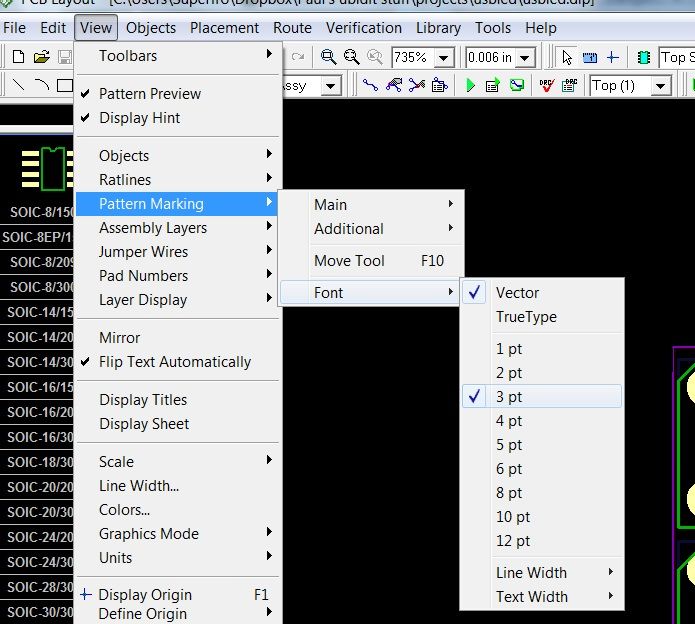
patternfontsizeI’ve been using Dip Trace at home for making personal PCB’s for a few years now, it’s price and usability is pretty decent.  So I thought I’d start by jotting down some tips for newcomers.  This tip is dealing with reference designators, like U1, U2, R1, R2, etc… you know those markings that help you assemble your PCB.

First off you can change the font, size, and properties of a layout by going to View->Pattern Marking->Font. From there you can change to a True Type font, font size, and choose between bold and normal.  It will apply to all ref’s in the current design.

The second one is to move the refdes.  By hitting F10 while working, or going to View->Pattern Marking->Move Tool, You can then select your refdes and move it somewhere you can view it better. You can also rotate it while selected by hitting the ‘r’ key.  These are handy when you have a lot of parts tightly squeezed together and want to be able to see the markings.

Ord Bot build update and qu-bd extruder build issues

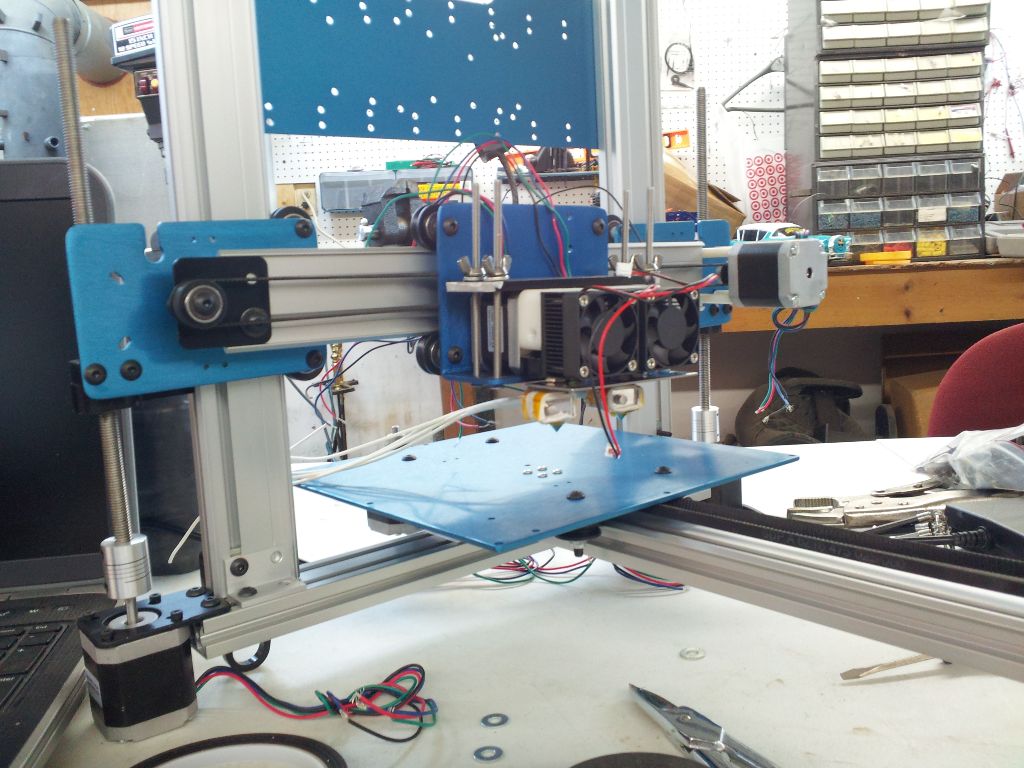
2013-04-13 01.54.10I got some parts in for my ORD BOT 3d printer build and I spent a good day putting it together.  Well I didn’t make as much progress as I anticipated and sadly had a pretty frustrating time, mostly with the QU-BD extruder build.  While it should have been fairly straight forward let me start off by pointing out the build instruction flaws.


Read more »

More info on the AY/YM Midi Synth Kit

usbmidi3d

I’ve gotten a few requests for more info about my kit.  So here is some more info until I finish writing the documentation:


  • USB MIDI Interface using usb cable.  Driver-less install in windows, will check Linux/MacOSX.
  • USB MIDI seems to work with IOS devices using the media connection kit.  Also you can use a USB->MIDI adapter and use the Hardware MIDI socket.
  • Hardware MIDI IN Interface using MIDI DIN socket.  No MIDI OUT for device chaining.
  • USB Streaming interface, I have an app that streams .ym files at the moment, but its a simple register dump so essentially one could implement tracker support.
  • Can run run from a USB power supply, like a phone charger.  Can run off of a wall wart (soldering to some normally not populated holes on pcb is required).  Can run off of batteries, should run between 4.5 and 5.5 volts so 3 aa’s or aaa’s alkaline (1.5v) packs = 4.5 volt, or 4 aa or aaa’s (1.2 volt rechargable cells) = 4.8v
  • Still working on the firmware updater, but hopefully I can get this working and push updates to the firmware.
  • MIDI — Volume and Pitchbend are supported.  Velocity can be enabled and is simulated as volume, but otherwised ignored.  Pitchbend is calculated on the fly so it should bend from + or – 1 full note.
  • MIDI notes down to 18hz (I’d have to double check) are supported.
  • YM Specifics such as envelope effects and noise control are implemented as CC commands.
  • With the latest revision, 1 channel is on the left, 1 is on the right, and 1 is center.  There is a jumper to enable mono output as well.
  • Right now multiple USB devices can be used as separate channels, but I’m trying to think of a better solution for adding more channels.
  • When will it be available ?  Soon hopefully, I’m still working on some minor details, and sourcing parts and documentation.

Let me know if there is anything else I can comment on.